Welcome Guest
LOGIN NOW
← Back
Complete VBA Excel Tutorial with Real Projects
Rs.499 Rs.1500
This content is valid for Days after the date of purchase
Learn VBA Excel from beginner to advanced level with practical real-world projects in this complete tutorial series. This video covers VBA macros, automation, Excel dashboard creation, loops, conditions, userforms, workbook automation, report generation, and project-based learning to help you master Excel VBA for jobs, freelancing, and business automation. Perfect for students, professionals, data analysts, and developers who want to improve productivity and build powerful Excel solutions.
Features:
Features:
- Complete VBA Excel Automation Training: Learn Microsoft Excel VBA from beginner to advanced level with practical real-world business automation projects.
- Step-by-Step Macro Development: Master recording macros, writing VBA code, debugging, and creating professional automation solutions.
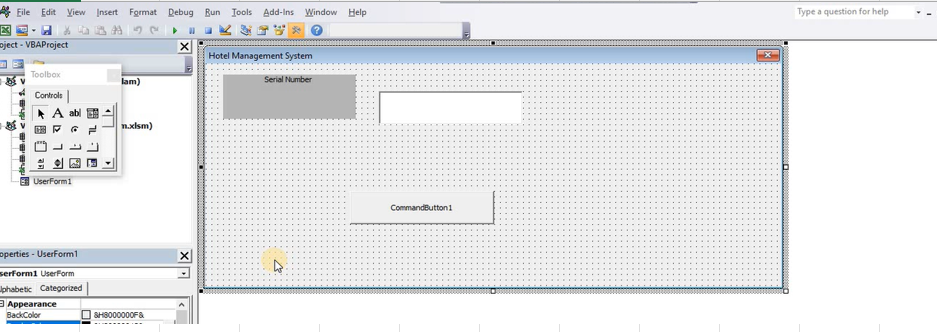
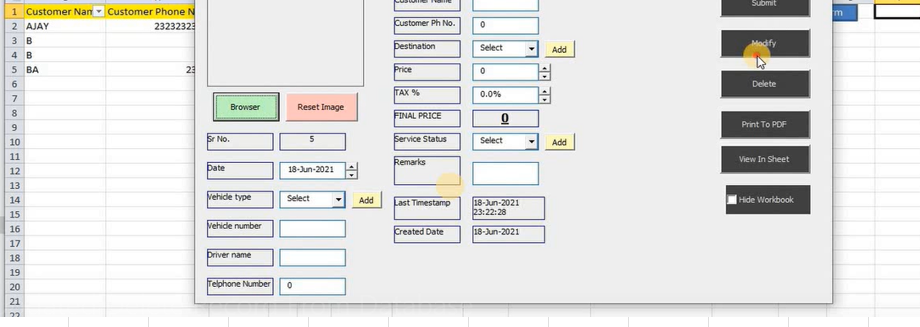
- UserForm & GUI Development: Build interactive Excel applications using VBA forms, buttons, textboxes, dropdowns, and automation dashboards.
- Advanced Excel Task Automation: Automate repetitive office tasks such as report generation, file handling, data cleaning, consolidation, and email automation.
- Database & External File Integration: Connect Excel VBA with external workbooks, CSV files, folders, Outlook, and database systems for enterprise-level solutions.
- Professional Business Projects: Suitable for MIS reporting, HR systems, inventory management, finance automation, and freelance Excel development services.
- Error Handling & Optimization: Learn professional debugging, secure coding practices, and performance optimization techniques for robust VBA applications.
- Career & Freelancing Growth: Strengthen your portfolio for Excel automation jobs, corporate roles, client projects, and high-income freelance opportunities.
- Practical Learning Approach: Hands-on tutorials designed for direct implementation in office, business, and software automation environments.
Requirements:
- Microsoft Excel: Excel 2010 or later with VBA support enabled.
- Basic Excel Knowledge: Familiarity with spreadsheets, formulas, and workbook navigation is recommended.
- Windows OS: Best suited for Excel desktop automation development.
- Macro Settings: Macros must be enabled in Excel Trust Center settings.
- Practice Files: Structured sample datasets recommended for project implementation.
Usage Guidelines:
- Follow tutorial modules sequentially for maximum understanding of VBA concepts.
- Practice each project practically within Excel for skill retention and mastery.
- Ideal for office automation, dashboard creation, reporting systems, client projects, and interview preparation.
- Customize provided VBA solutions according to your business or freelance requirements.
Policy:
- No Unauthorized Redistribution: Course materials, projects, or source files must not be resold, redistributed, or shared publicly.
- No Refund Policy: All digital educational product purchases are final.
- Personal Learning Use Only: Content is intended strictly for personal education, career development, and authorized professional implementation.